My recently ordered Inkplate 6Motion (3-4 days after arrival) would not power up. When I plug it into USB, the red light glows, but the blue light wouldn’t. The blue light was pulsating, which I read was an indication of battery being low, so I plugged it into a laptop USB port to charge it, while doing some development (code pushes). After a few hours of development and debugging/logging using Arduino IDE, the board suddenly powered off. The blue light is permanently gone, and nothing would power it back on.
I am not a hardware person, so if there’s a simple fix I can do, I’d be happy to try it. Otherwise, I’d appreciate some support or an exchange to get the board working.
Hi @enkidoue
Let’s narrow it down first.
-
Which USB cable did you use? Best to use the cable that came with the board.
-
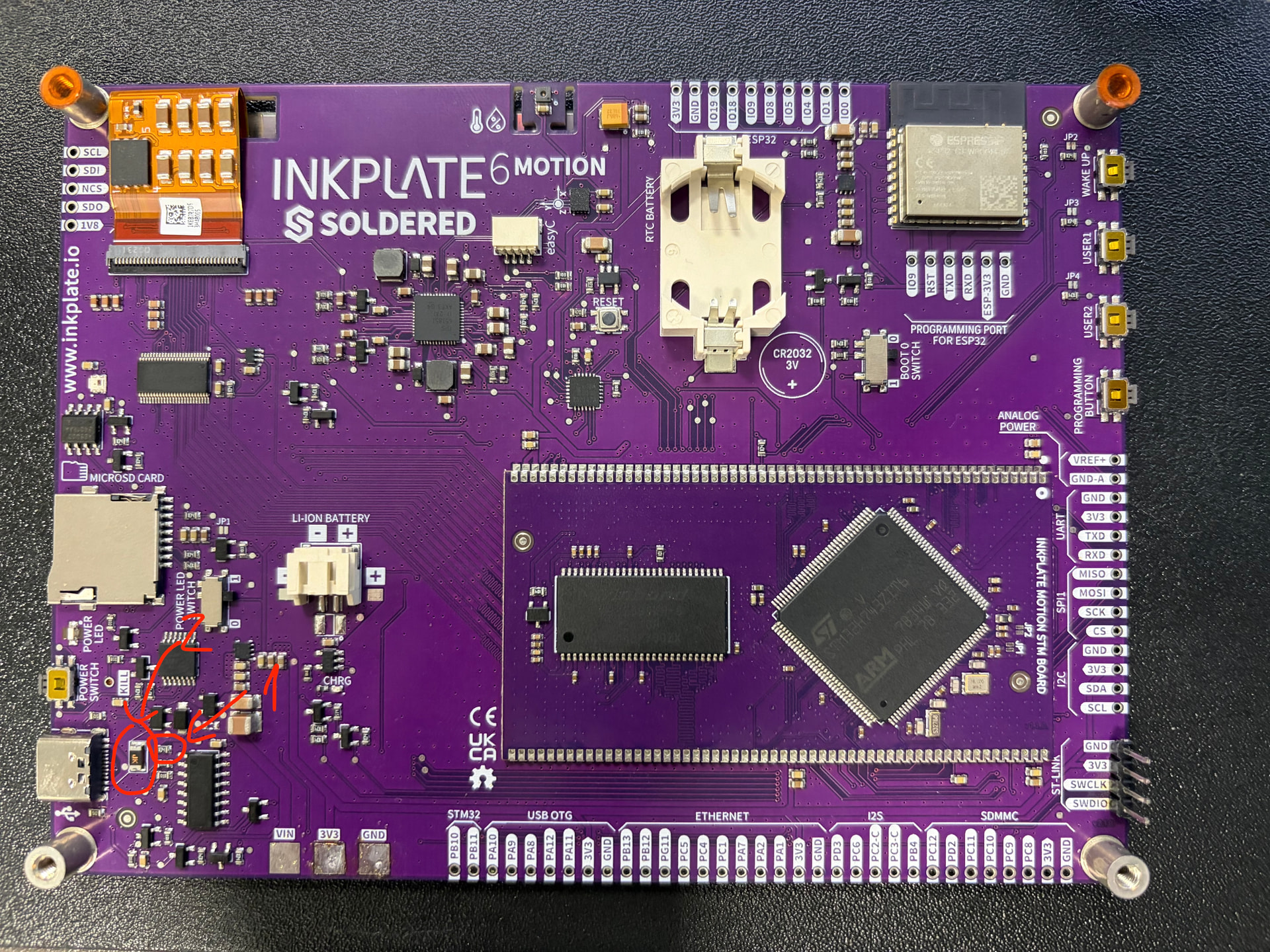
Do you have a multimeter? If so, two quick checks will tell us a lot. Both points are marked in the attached photo.
-
Voltage (mark 1): Set the multimeter to DC volts and plug in USB. Put the black probe on a GND point (for example the GND pad at the bottom edge of the board) and the red probe on the point marked 1. Tell us the VUSB reading. With a working USB supply it should be close to 5 V.
-
Fuse (mark 2): Unplug USB first. Set the multimeter to continuity mode and touch one probe to each end of the component marked 2. A beep or a reading near 0 ohms means the fuse is intact. No beep or an open reading means it has blown.
-
-
Does the red LED still light when you plug in USB?
-
Is a LiPo battery connected to the board?
If you do not have a multimeter, or the readings point to a fault, we can handle this as a warranty case. Email hello@soldered.com with your order number and a link to this thread or explaining the issue.
Thank you for the response. I appreciate it.
- I used the cable that came with the board and nothing else.
- Unfortunately, I do not own a multimeter.
- The red light turns on when I plug in the usb. Additionally, I see the green light turn on for a fraction of a second when I press the power button but nothing else happens. This seems to suggest that the power comes through for a second but it’s not sustained. I may be totally off here.
- The battery that came with the board is still connected and was never tampered with.
I’ll email with the requested details.
Could you try disconnecting the battery and trying then?
I’ll be happy to try. Are there instructions or a video showing how to? I wanna make sure I don’t snap it by mistake.
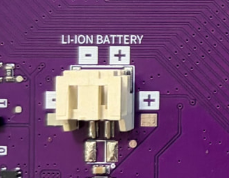
I was able to disconnect the battery, and pressed the power on button with and without being plugged in via usb. The display does not turn on.
Same behavior as before then right? If so and if you have warranty please email hello@soldered.com with your order number and a link to this thread or explaining the issue then.
Yes, same persistent issue. I have emailed them with this thread url. Thanks for your support so far.
The detail that stands out is the battery disconnect followed by trying power both on USB and off it, with no display response either way. That points away from a simple charge-state problem and toward the board’s power path itself, which is probably why the warranty route is the sensible next step rather than more button combos. Since you’ve already emailed with the thread link, keep the order number handy and note whether any LED activity ever appears on USB, as that may help them narrow it down faster.