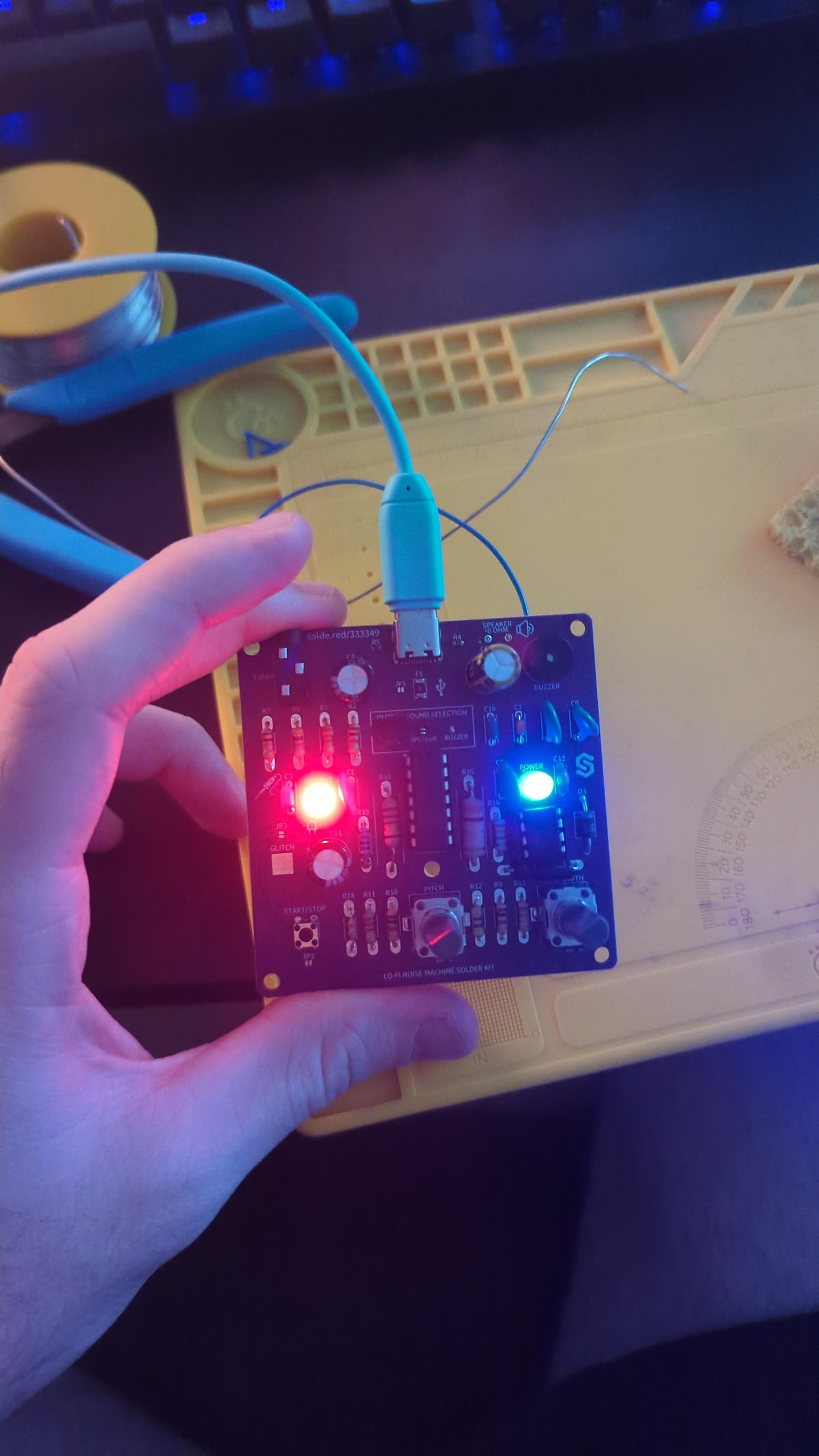
I recently assembled the Lo-Fi Noise Machine Solder Kit, but I can’t get any audio output.
The power LED turns on normally, and after pressing the Start button, the red LED also turns on. Adjusting the Pitch and Pulse Width controls changes the brightness of the red LED, but there is still no sound, either from the onboard speaker or through headphones connected to the 3.5 mm audio jack.
Has anyone encountered this problem or have any ideas about what I should check? If needed, I can provide photos of the assembled PCB.
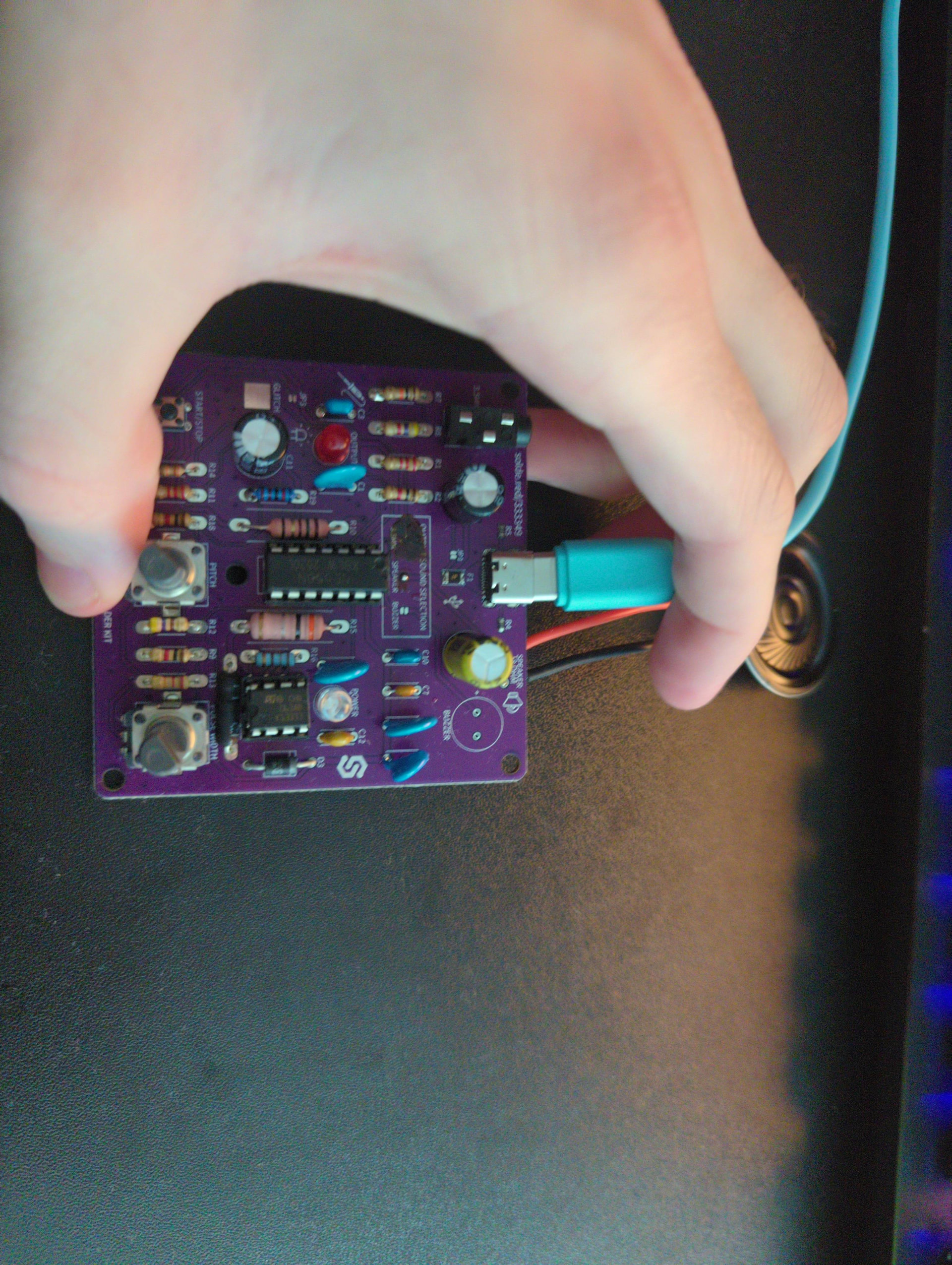
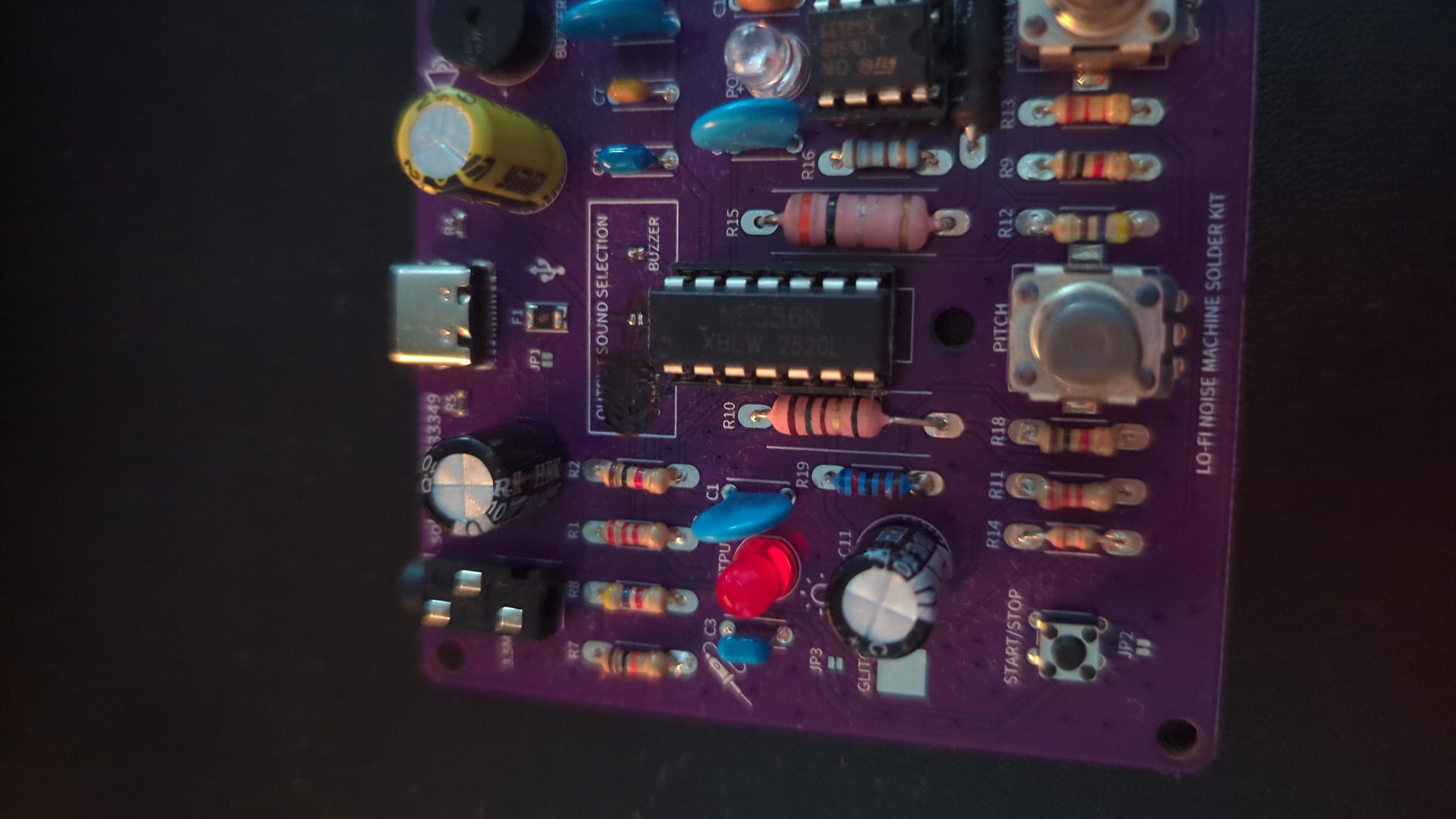
thanks a lot for your question, could you please take a photo of the board and post it here so we can help investigate? Maybe it’s the jumper in the middle of the board which needs to be soldered to select the audio output?
only one of them needs to be soldered for the audio output to work, i see that the top layer of the pcb is quite damaged. Could you remove the solder from the middle connection and solder the ‘buzzer’ output and add the buzzer?
Hi @mimirz sorry for quoting a different user in the previous message, my typo.
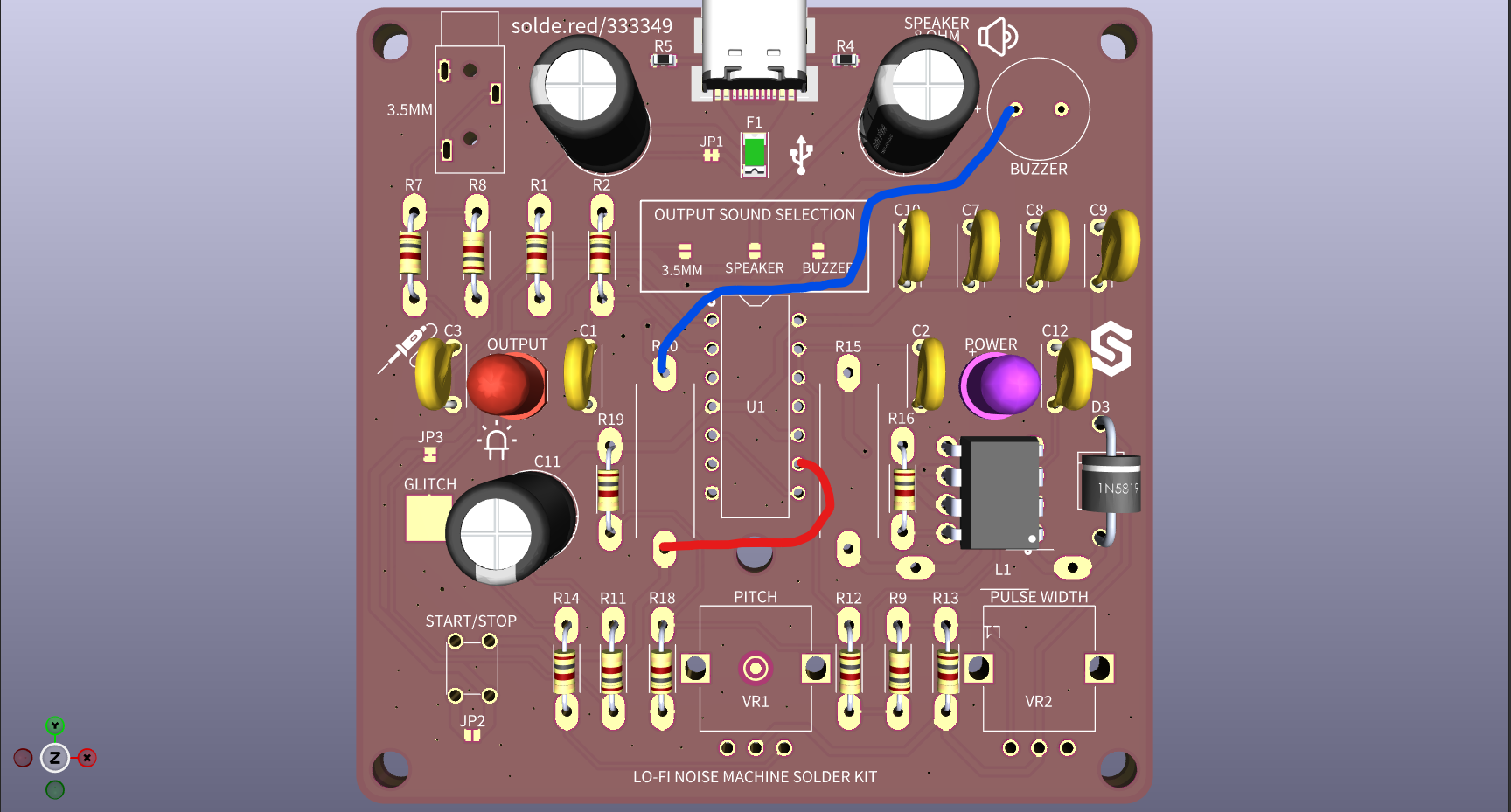
Let me take a short time to inspect the hardware files and see if I can find a pin which you can wire to a buzzer or speaker to get the desired output. I’ll get back to you via the thread.
Pin 9 from the 556 IC, connect it to one end of the marked resistor and the other end to the + side on the buzzer. This should ensure buzzer output. Let me know if it works!
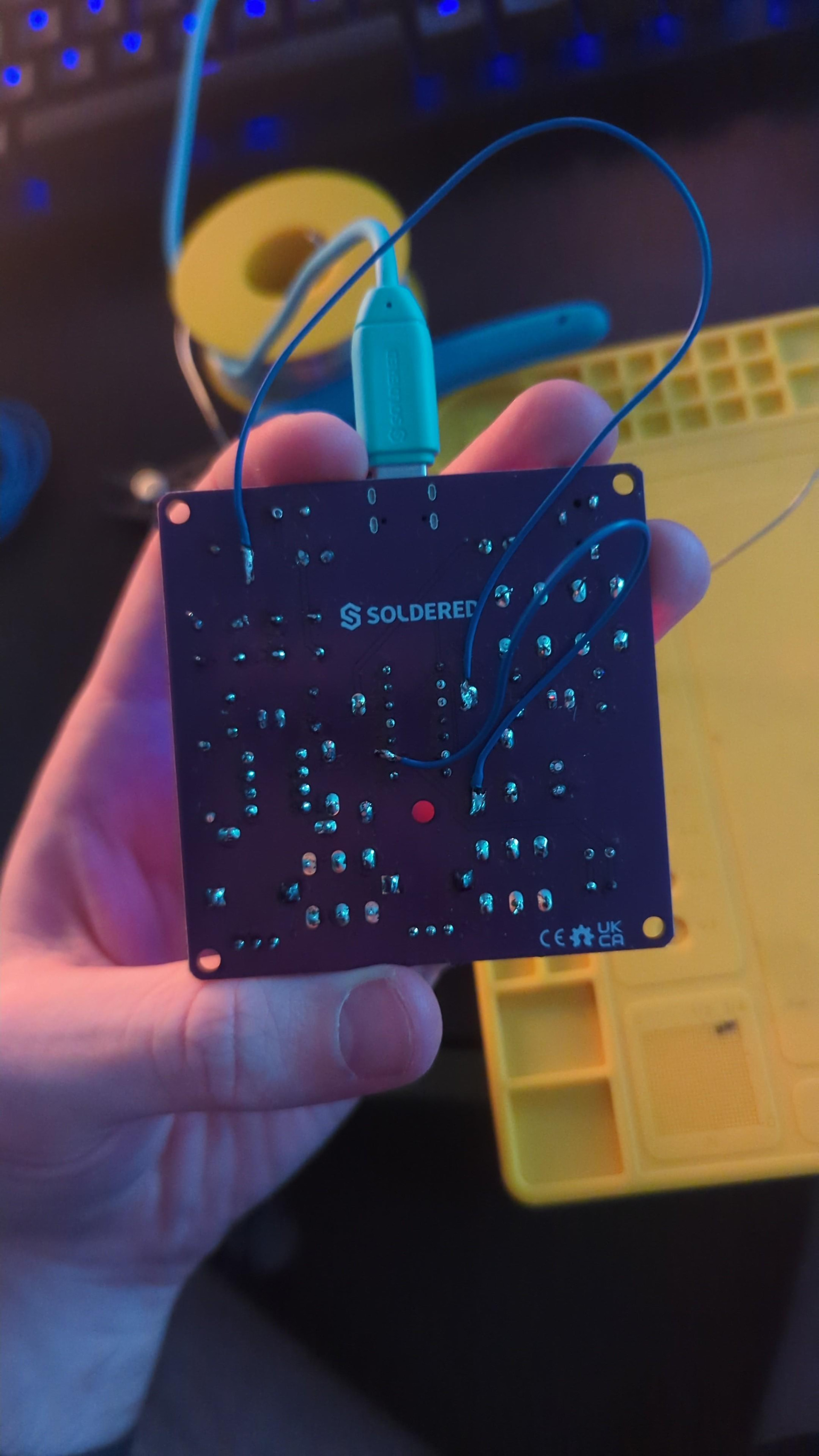
Then I don’t think we can fully diagnose what exactly went wrong with the solder kit, since there is no firmware or microcontroller for this kit it really should work once fully soldered, I think something went wrong in the soldering process unfortunately.
We can try and help further, please write to us at hello@soldered.com with a summary of this issue and your order number.