Good evening,
I would like to use the PowerMeterDisplay project by Volos Projects.
It is a bit dated, and nothing works with the newer IDE versions (2.3.10).
I managed to resolve the `Ledcxxx` issue,
but I am having trouble with the Soldered libraries (INA219, BMP180, etc.).
Has anyone updated these libraries?
Thanks for sharing,
Jean-Luc
Could you provide a bit more details as to what is not exactly working? Does the library fail to compile or? I’m using IDE 2.3.10 and have no issues with the libraries.
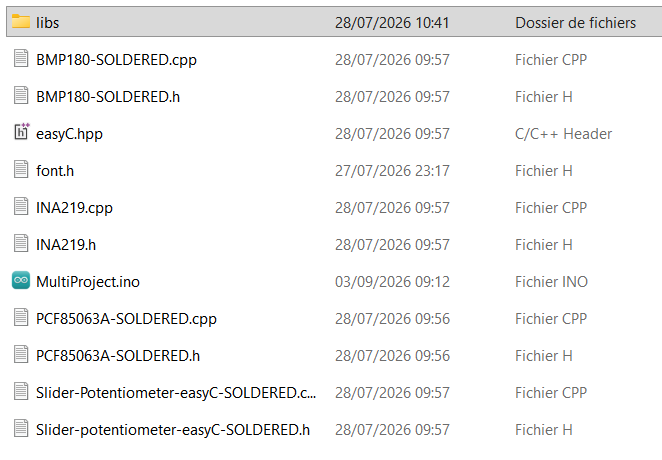
Ok I see the problem. The code you sent is not actually written with the Soldered INA219 library but some other library. You can easily modify it like so:
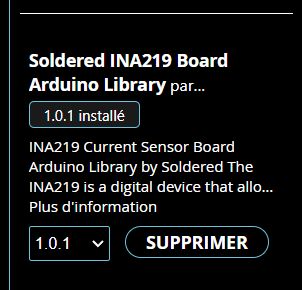
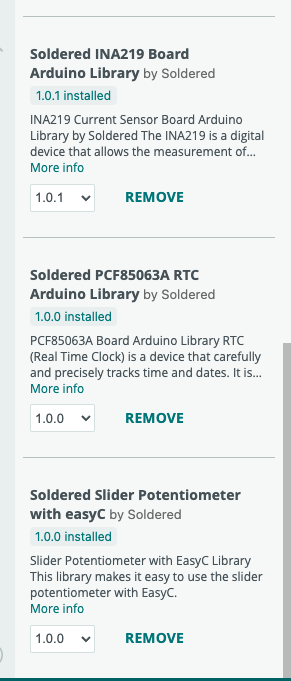
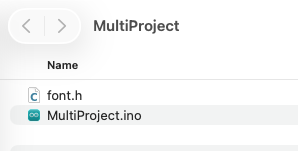
Alternatively, which I recommend doing, you can remove all those files you have with .ino file (just keep the font.h) and just let Arduino handle libraries automatically by installing them via the manager (which you already have for the INA library, so removing the files from the folder should work straight away).
Generally you don’t have to put the library files in project folders, you can just install them via Arduino manager. Your folder can just look like this and make sure you have all the libraries installed in the manager:
I deleted everything and reinstalled PowerMeterDisplay + the libraries.
I modified Ledcxxx.
My MultiProject isn’t working… but that doesn’t matter anymore… yours works perfectly.
I’m going to dissect the code.